
Share this
by Bridget.Giacinto on Sep 10, 2020, 11:07:00 AM
If uptime and availability are important to your business, you may want to consider using RAID storage as part of your data storage strategy.
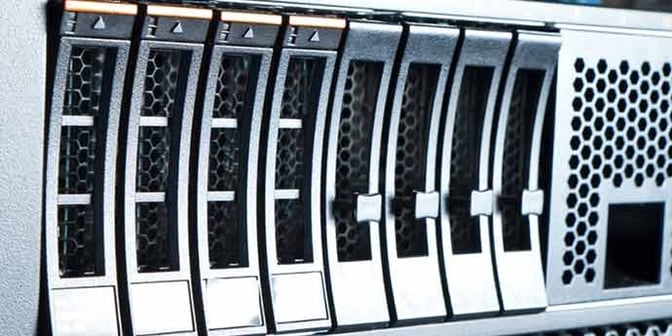
RAID writes data across multiple disks to provide redundancy.
What is RAID Storage?
RAID storage is a Redundant Array of Independent or Inexpensive Disks. It provides a means to store data across multiple drives, acting as a single logical volume. By spreading data across these disks, RAID can improve performance, increase availability, and help ensure that your systems stay online even when individual components fail.
Depending on which level of RAID you choose, data can be duplicated or mirrored, or parity information can be written alongside your data, offering various forms of data redundancy. For example, some RAID levels (such as RAID 1, 5, or 10) can protect your data against drive failure by allowing the array to continue operating in a degraded state while a failed drive is replaced and rebuilt in the background. During this rebuild process, users can typically maintain uninterrupted access to their data, which is critical for systems that require high uptime.
However, it is important to understand the limits of what RAID can do. While a RAID array can reduce your risk of losing data due to drive hardware failure, it does not protect data against other common causes of data loss, such as accidental deletion, file corruption, ransomware, insider threats, or site-level disasters like fire or flooding. RAID will faithfully mirror or stripe whatever is written to it—including corrupted or encrypted data.
RAID is not the same as data backup and should never replace the utilization of dedicated backup and recovery software. A proper backup strategy creates independent copies of your data, often stored on separate systems and in separate locations (for example, following a 3-2-1 backup strategy with both local and cloud copies). By combining RAID for high availability with reliable backup and recovery software for true data protection and disaster recovery, businesses can significantly reduce downtime and ensure they are able to restore critical systems and data when it matters most.
What are RAID Groups?
RAID Groups unify an array of disks, usually two or more identical units, into one logical unit that the operating system and applications see as a single volume. This abstraction makes it easier to allocate, manage, and protect storage resources, while the underlying RAID level determines how data is distributed and how redundancy is achieved.
If disks of varying capacities are added to a single RAID Group, all of the disks within that group will function according to the capacity of the smallest disk. Any additional capacity on larger drives will effectively be unused within that group, which can lead to inefficient utilization of your storage investment. Similarly, if a RAID Group contains more than one type of drive (HDD, SSD, SAS), the group will function according to the slowest drive in the Group, limiting overall performance to the lowest common denominator.
While RAID Groups can vastly increase the availability and performance of storage, it is important to create RAID Groups based on the capacity and disk type of each group. Aligning drives by size, speed, and interface helps ensure predictable performance, faster rebuild times, and more efficient use of your hardware. For most business and MSP environments, standardizing the disks within each RAID Group and documenting which workloads they support (for example, transactional databases versus file archives) will make ongoing management, troubleshooting, and capacity planning significantly easier.
What is a LUN?
In order to facilitate communication in the form of input/output/ (I/O) commands between servers and storage devices, a unique identifier called a LUN (Logical Unit Number) is used to designate the storage devices within the RAID Group. A logical unit can be a single drive, multiple storage drives, an entire RAID set, or just a partition of a drive. Using a LUN often simplifies storage resource management in that access and control privileges can be assigned through these logical identifiers.
RAID Groups are then combined into Storage pools for increased performance and ease of management. This allows businesses to easily scale to meet the needs of their business by adding drives or RAID Groups and expanding LUN capacity.
What are Storage Pools?
Storage pools aggregate one or more RAID Arrays or RAID Groups to combine multiple types and sizes of drives into one logical unit with a larger combined storage space. Essentially, pools act as another RAID level, virtualizing the underlying RAID architecture. Pools spread out the data and workload evenly across the pool while providing enhanced RAID protection over the pool.
If a drive fails or an additional drive is needed, the IT admin can simply replace or add additional drives to the appropriate RAID Group and then dynamically rebalance the data across all of the active drives within the pool.
Within your overall RAID Storage architecture, businesses often require different configurations to be set up for each RAID Group to provide the level of fault tolerance required. These RAID configurations are known as RAID levels. RAID levels refer to how your data is distributed across the drives, and each of the levels strikes a different balance between performance and fault tolerance.
Fault tolerance refers to the ability of a system to continue operating without interruption in the event of drive failure by one or more disks.
When looking at options for RAID storage systems, decision-makers can use this guide to determine which offering will be best for their unique setup.
What are the Different RAID Levels?
Before considering what benefits a RAID solution can bring, it will be extremely important that businesses select the right level of RAID to meet their needs. Let's look at some of the most popular RAID levels to choose from:
- RAID 0 (Striping) - This setup is used mostly for improving server performance and is best known as disk striping. As PC Magazine contributor Samara Lynn noted, data is written onto multiple disks, allowing work to be spread across this hardware, rather than relying on just one disk. However, without fault tolerance, any disk failure could lead to data loss. While RAID 0 improves performance, it offers no redundancy, so if one drive fails in RAID 0, all data is lost.
- RAID 1 (Mirroring) - With this level, fault tolerance is introduced in the form of disk mirroring, which copies data efficiently and simultaneously to both disks. This ensures that even if one disk fails, another will be there to pick up the workload. Software implementations of this technology may require powering down to replace a failed drive, which is problematic for critical systems; therefore, a hardware controller is highly recommended.
- RAID 5 (Striping with Parity) - This option makes up for the flaws in RAID 0 and RAID 1 by providing better storage efficiency and fault tolerance to ensure that data is recreated seamlessly in an emergency. Businesses can also replace a drive without shutting down their hardware or interrupting user access, making this setup a significant asset. Although RAID 5 can be achieved with software, a dedicated hardware controller is recommended for enhanced performance.
- RAID 10 (Mirroring and Striping) - Often called RAID 1+0, in that it is literally a combination of RAID 0's striping and RAID 1's mirroring, giving the best performance out of any other option. However, this benefit also comes at a cost and requires twice as many disks. These pros and cons will be a significant factor in considering this option.
RAID Advantage
Besides the ones listed, there are numerous other RAID options for businesses to explore, and each comes with its own advantages. For example, some offer better performance than others, while others may be more cost-effective. PCWorld contributor Lincoln Spector noted that while RAID may not be able to protect against cyber threats or disasters, it does act as a fail-safe if a business experiences hardware failure. RAID can minimize downtime and provide peace of mind that work can continue even if a disk fails.

"Depending on how you configure a RAID, it can increase your computer's speed while giving you a single 'drive' that can hold as much as all of the drives combined," Spector wrote. "Or you can use a RAID to increase reliability so that your computer will keep working after a hard drive crash. Some RAIDs allow you to do both."
RAID storage is not a new trend, but it has become more pivotal as businesses look for the speed, redundancy, and resilience that it can offer. By looking at the different RAID options and their potential benefits, you can choose the one that best fits your needs and elevates your disaster recovery strategy. For more information on RAID fault tolerances, this article is worth a read.
Check out this blog post, which explains why RAID should not replace backups.
Share this
