

Disaster Recovery for Your PCs and Servers
Use NovaBACKUP image backups to restore your entire system after a hardware failure or ransomware attack.

Protect Your Systems from Any Disaster
With NovaBACKUP, you can proactively protect your data and take the necessary precautions to recover quickly with minimal disruption to your business in the event of a disaster.
Our Disaster Recovery feature, included in all NovaBACKUP solutions, allows you to perform a system backup that streamlines recovery processes by including all system data, allowing you to bring a mirror image of the previous machine back into production after any disaster scenario.
Restore your Windows PC or server to the same or different hardware, or mount it as a virtual machine for quick access.


Let's Talk About Your Data
Whatever your backup questions, we are here to help!
Disaster Recovery with NovaBACKUP
With NovaBACKUP solutions, you can easily perform a combination of file and system backups for complete recovery of your files and systems.
Save Valuable Time
Every second counts when it comes to getting your business back up and running in the event of data loss due to a ransomware attack, hardware failure, or natural disaster. Manually rebuilding a system from scratch can take hours or even days. With NovaBACKUP system backups, you can quickly and easily restore a physical server to the same or different hardware, or mount it as a virtual machine.
Establish Disaster Recovery Best Practices
A system backup alone may not be enough to protect you in the event of a data loss. NovaBACKUP enables you to combine file and disaster recovery backups to different backup locations, like local or cloud storage, so you'll always have a copy or two of your data.
Installation and Configuration Included
NovaBACKUP offers free installation and setup while you watch and learn to ensure proper setup. Our goal is to provide you with the tools and expertise you need to protect your business-critical data from day one, so you can recover in the event of a disaster.
We're Here to Help
Our technical support team specializes in backup and recovery, and with an average tenure of over 10 years, they are experts in their field. They can help you establish best practices for backup and disaster recovery, and even help you recover your data in the event of a disaster.
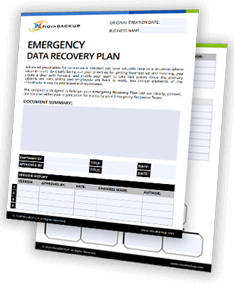
Build Your Custom Emergency Data Recovery Plan
This template is designed to record your recovery plan and make it available to your emergency response team, so they are prepared to deal with the ever-increasing threat of ransomware attacks and to act quickly in the event of an incident.
Understanding Disaster Recovery
Why You Shouldn't Skip a Full System Restore Test to Different Hardware
Disaster Recovery Planning for Small Businesses
Not Creating a Disaster Recovery Plan Could Cost You Everything
Disaster Recovery FAQs
Yes. With NovaBACKUP you can use a system backup to do a complete system restore to different hardware in a "bare-metal" state for disaster recovery purposes.
Yes. NovaBACKUP products allow you perform a system backup and then mount the backup file to a virtual machine in a Hyper-V environment.
Yes. When creating the boot medium, you are presented with an option to include specialized drivers such as RAID controllers for installation on the target machine.
Yes. You can mount a system backup as a virtual machine in a Hyper-V environment for fast disaster recovery.
Don't just take our word for it
Read what our customers say about us and our backup software solutions.