
Share this
by Nathan.Fouarge on Oct 15, 2014, 8:21:57 AM
While virtualization can make sense in the small business world, not everyone can virtualize all of their data. Virtualization projects take planning, resources, and, most importantly, time to complete the migration.
During this transition period, while you are in the process of moving workloads into a virtual environment, you will still need to protect your existing infrastructure. That means continuing to perform backups of your physical machines until the migration is complete.
Even after you have migrated everything you want to move to virtual machines, there will often be systems that remain physical. Legacy applications, specialized hardware, or budget constraints can all prevent a “100% virtual” environment.
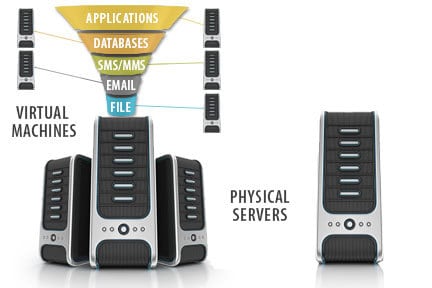
Because of this, your backup strategy has to cover both worlds. After you implement virtualization, you need a way to back up your new virtual environment, as well as any physical machines you couldn’t virtualize and still rely on for day-to-day operations.
If you are not yet familiar with all of the virtualization terminology, check out this post on the most important virtualization terms you should know.
More than Just Virtual Machine Backup
Most backup tools aimed at small businesses are built for either physical servers or virtual machines, but not both. That can leave you juggling multiple products, contracts, and consoles just to protect your environment. NovaBACKUP Server Agent is different. It was specifically developed to give small businesses and MSPs a single, unified solution that protects both physical and virtual systems, so you can standardize on one backup platform as your environment evolves.
Will Your Backup Solution Grow with You?
Your backup software should be able to grow with your business—without surprise add-ons every time you introduce a new workload or technology. Maybe you’re not ready to virtualize yet, or your hardware refresh is still a year away. That’s okay. NovaBACKUP Server Agent protects the physical servers you rely on today and is ready to back up your virtual machines as soon as you bring them online.
By having these capabilities included from the start, you avoid the time, expense, and disruption of going back to your vendor for new quotes, plug-ins, or an entirely different product. With NovaBACKUP, everything you need to protect your Windows servers—physical and virtual—is already built in.
From our perspective, this approach is essential for small businesses and service providers. There are very few solutions designed for this segment that combine physical server protection with the ability to back up an unlimited number of virtual machines under a single, all-inclusive license.
For organizations that need simplicity, predictable costs, and a platform that can support them through each phase of their infrastructure journey, a single solution that covers both physical and virtual systems simply makes sense.
Share this
