
Share this
by Bridget.Giacinto on Apr 15, 2016, 9:12:46 AM

Disaster can strike at a moment's notice, which is why many organizations have started to fully utilize backup solutions to keep their information safe and maintain operations. However, just because you're consistently backing up your files doesn't necessarily mean that they are fully protected from the wide variety of dangers out there. Everything from thieves and cybercriminals to floods, fires, hardware failures, and simple human error can put your backups at risk, making it critical to put safeguards and backup security best practices in place to ensure true business continuity and compliance with data protection requirements.
Unsecured or poorly managed backups can quickly become a single point of failure—or even a liability—if they are lost, stolen, or corrupted. For example, unencrypted backup media can expose sensitive customer or patient data, while a ransomware attack that reaches your backup environment can leave you without a clean restore point. As a result, it’s not enough to simply “have a backup”; you must be confident that backups are isolated, protected, and recoverable when you need them most.
By thinking about your backup strategy in terms of both security and recoverability, you can significantly reduce downtime and the risk of data loss. This includes protecting data wherever it resides: on endpoints, servers, virtual machines, and in the cloud. It also means considering how quickly you can restore critical systems, and whether your backup approach supports your recovery time (RTO) and recovery point (RPO) objectives.
Practical Backup Security Measures
Let’s take a look at a few practical backup security measures and best practices to help you ensure secure backups and keep your organization prepared for whatever comes next.
Use encryption
Encryption is possibly the most useful backup security tool available for ensuring that data is secure at rest and in transit. These tools codify information and distribute a set number of keys to authorized users to decode the files. Nick Espinosa, CIO at BSSI2, told Tech4BusinessNow answered the question, "What is the most secure way to back up files?" was answered by stating that businesses should package their data backups and encrypt them with 256-bit AES at a minimum.
However, while encryption allows for a secure backup, you'll need to ensure that all keys associated with this secure backup method are kept in a protected place. After all, if you lose the key, you'll no longer have access to the data. Encryption is the best line of defense against hackers, but it won't amount to much if you don't have the keys, store your keys locally without any password protection, or tell everyone your passwords.
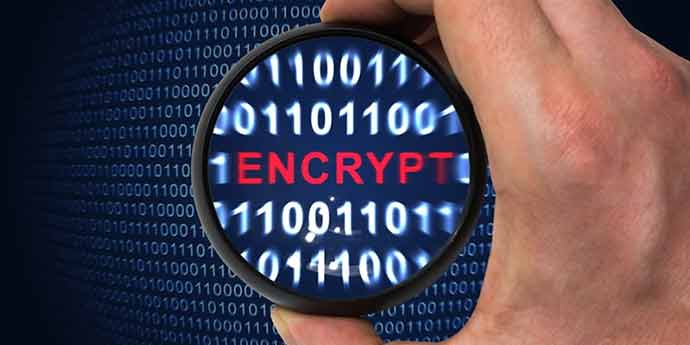 Encryption will be critical to securing business backups.
Follow the 3-2-1 rule
While there are numerous tools to help protect information on devices, a fire, flood, or other natural disaster could easily destroy your hardware and physical files. For this reason, it's important to follow the 3-2-1 backup rule. This backup security best practices guideline states that organizations should keep three backup copies, across two different media, with one stored off-site. Many businesses may use a combination of the cloud and disks to facilitate these needs, allowing for the most secure way to back up data.
With this many options for restoration, companies can rest easy knowing that their most critical information is accessible in any situation. TechTarget contributor Kevin Beaver suggested handling your backup media as critical hardware and storing a copy in a fireproof safe to keep your options open. It'll also be important to gauge vendor security measures for off-site storage, to ensure it complies with industry regulations and is compatible with encryption techniques.
Test regularly
"Testing backups would help identify any vulnerabilities before you're impacted."
Encryption and multiple backup copies are significantly beneficial to securing your files, thus providing backup security measures, but you need to verify that you're backing up the right assets and that your backups will work as expected in an emergency scenario.
Testing your backups on a regular basis is vital and could mean the difference between easy restoration and potential closure. Beaver from TechTarget noted that testing would help identify any vulnerabilities before you're impacted and enable you to adjust your backup strategy to better fit data security requirements.
Secure backups are an essential part of business continuity, making it important to ensure that they are protected with strong encryption and sound backup hygiene. This includes using modern encryption standards such as AES-256 for data in transit and at rest, properly managing and safeguarding encryption keys, and verifying that your off-site and cloud storage locations support your chosen encryption methods and regulatory requirements.
By combining encryption with the 3-2-1 rule to maintain multiple, isolated backup copies—including at least one off-site or in the cloud—and by testing your backup and restore processes consistently, you can keep your files safe from both cyber and physical threats. This layered approach helps you maintain compliance, reduce downtime, and have peace of mind that you’ll be able to recover quickly and reliably in the face of a disaster.
Share this
