

Backup and Recovery
for Hyper-V

Backup and restore all virtual machines in your Hyper-V environments.

Try Now Buy Now

Secure All Virtual Machines with a Single Solution

No matter how many virtual machines are running on your Hyper-V host, NovaBACKUP makes virtual server backup easy.

Back up your business-critical virtual machines to the local or cloud-based backup storage of your choice. This gives you complete protection and allows you to recover your data quickly and easily in the event of loss.
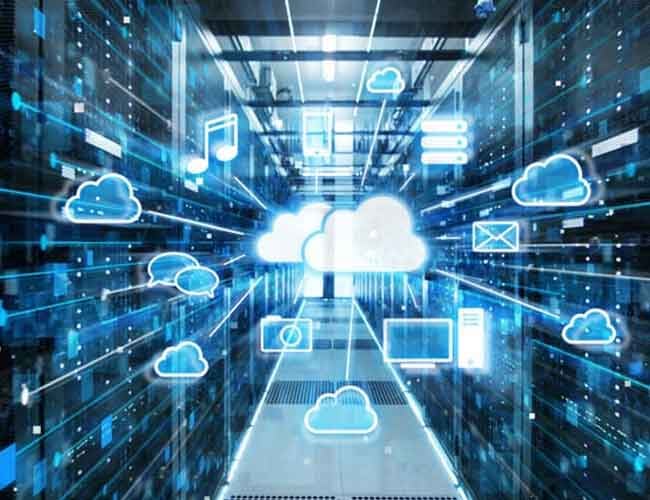
Cloud-vm-backup

Why use NovaBACKUP to back up virtual machines?

Back up all your VMs

Fast, cost-effective, all-in-one virtual server backup and recovery solution for Hyper-V.

Quick and easy recovery

One-step recovery to make a virtual machine available on the same host or in a different location.

Unmatched support

With NovaBACKUP, you have a team of backup experts at your side to ensure that your data is backed up at all times.

Features & Benefits

Protect Your Hyper-V Virtual Environments

    Add a Second Layer of Protection with Cloud Backup

    NovaBACKUP Cloud, our secure cloud storage, provides customers with an offsite destination for data redundancy, creating an additional layer of security for physical and virtual machine backups - giving you Hyper-V local and cloud backup in a single solution.

    Protect your data from accidental deletion, hardware failures, computer theft, natural disasters, and ransomware. With the increasing number of cyber attacks, it is essential to proactively secure your corporate data across multiple locations. When you back up your virtual machines with NovaBACKUP Cloud, you create a strong line of defense and avoid the nightmare of having to pay a ransom to access your own important data.

    Server-Cloud-Backup

    SQL Backup is Already Included

    Back up not only your virtual machines running Hyper-V, but also any physical Windows server or virtual machine running Microsoft SQL. This allows you to protect your databases at no extra cost or the need to install separate plug-ins.

    Backup to local and cloud backup storage for virtual machines, Windows PCs and servers, and applications is always included with NovaBACKUP Managed Backup or the NovaBACKUP Server Agent.
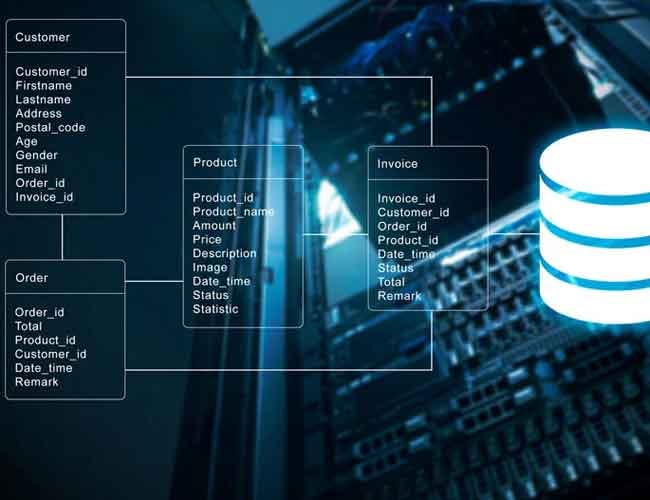

    Learn more about Application Backup
    VM-Backup-Databases

    VM Backup Questions and Answers

    Can I back up virtual machines with NovaBACKUP?

    Yes. NovaBACKUP Managed Backup and NovaBACKUP Server Agent enable you to back up your Hyper-V virtual machines in a variety of formats. The backup targets can be local, on networks, removable media, and cloud.

    What types of virtual machines can be backed up with NovaBACKUP?

    With NovaBACKUP, you can back up Hyper-V virtual machines running on Server systems.

    As a Managed Service Provider, can I secure virtual machines for my customers?

    Yes, NovaBACKUP's Managed Backup solution allows you to offer backups as a service, leveraging a variety of backup formats and features, including virtual machine backup. Maintain VM integrity with our managed backup solution.

    Do I need to shut down the virtual machine to back it up?

    No. Shutting down the virtual machine is not required for a consistent backup. 

    Do I need to install an agent on the virtual machine to secure it?

    This is not required for a snapshot backup of a virtual machine. However, in some cases, it is desirable to install NovaBACKUP directly in the VM for additional functionality.

    Do you support physical-to-virtual (P2V) recovery?

    Yes.  NovaBACKUP allows you to back up a physical machine as a system backup which can then be mounted as a Hyper-V virtual machine.

    Can I back up databases or other software running in the virtual machine?

    Yes. To protect Microsoft SQL or Exchange databases (or other software) running in a virtual machine, you can install the NovaBACKUP agent directly on the virtual machine to access these additional features. 

    Back to top

    Customer Feedback

    Read what our customers say about us.

    "With NovaBACKUP, the price-performance ratio and the service for data backup are right. With NovaBACKUP, we have found a very good overall solution that also secures virtual environments and allows us to centrally manage the backups at different locations of our customers."
    Georg Gehring 
    "Excellent technical support and user friendly. I was impressed with the quick response and the various solutions given to rectify my issue. Thanks again."
    Les M.
    "I am using NovaBACKUP on our server, and I am very impressed. I have used every backup software out there, and this is by far the best."
    Allen Haynie 
    IT Manager, Allied Equipment Inc.
    Backup-Helper-for-NovaBACKUP

    Let's Talk About Your Data

    Whatever your backup questions, we are here to help!